 Good Morning
Wake up in light sleep, not in the middle of a dream.
Good Morning is an alarm clock for Android and Wear OS. It follows your sleep through the night and rings at the gentlest moment before your alarm time, then makes sure you actually get up.
Free · Android 8.0 and newer · Wear OS watch app included
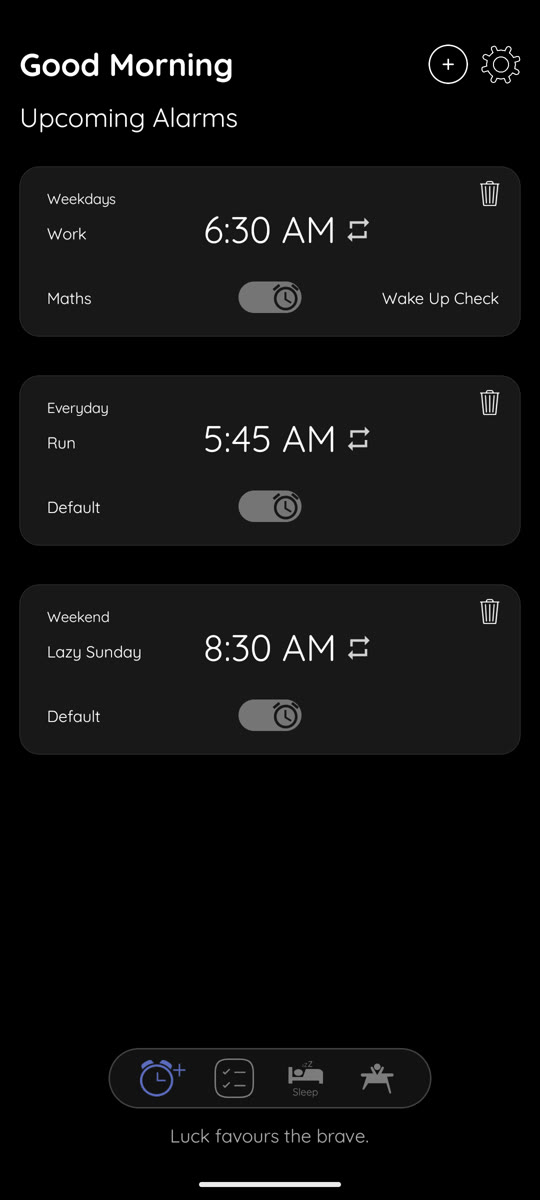
One night with Good Morning
Scroll through a night. The clock keeps time with you.
-
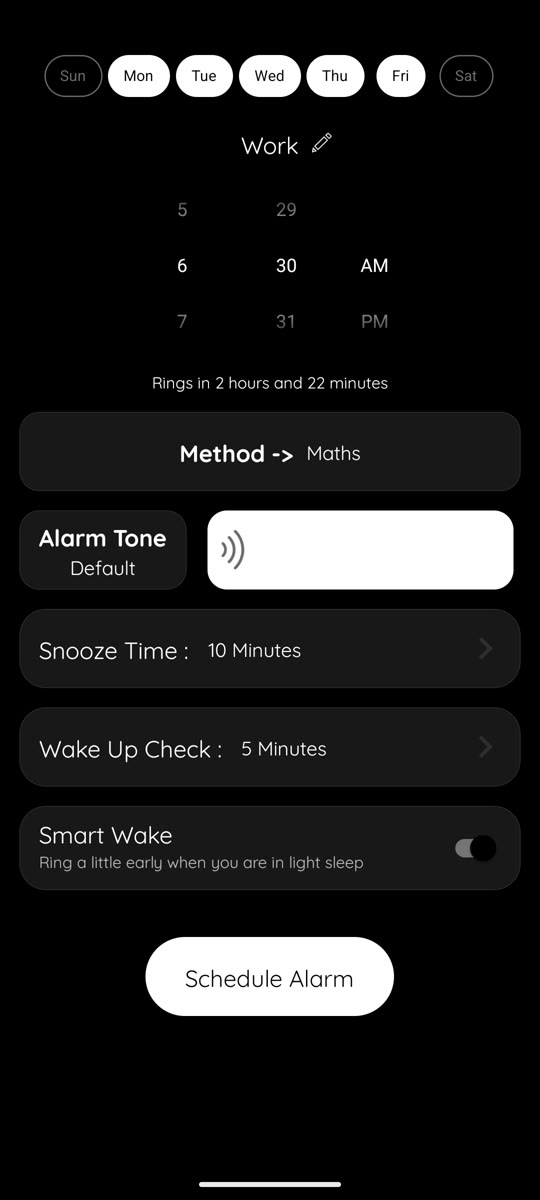
Set tomorrow's alarm
Pick a time and the days it repeats, a tone (some start quietly and get louder), and how long snooze lasts. Turn on Smart Wake if you'd like to be woken in light sleep.
Your alarm can also be set, switched on or off from your watch.
-
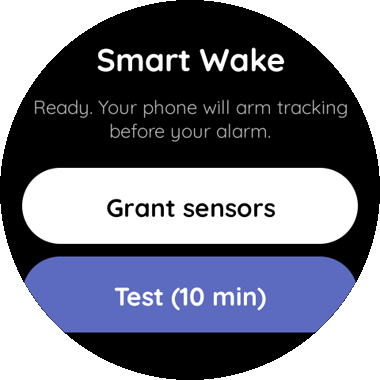
Smart Wake starts listening
An hour and a half before your alarm, Good Morning begins to follow your sleep. With a Wear OS watch it uses your heart rate and movement. Without one, leave your phone on the bed and it feels your movement instead.
Everything is worked out on your device. Nothing about your night is uploaded.
-
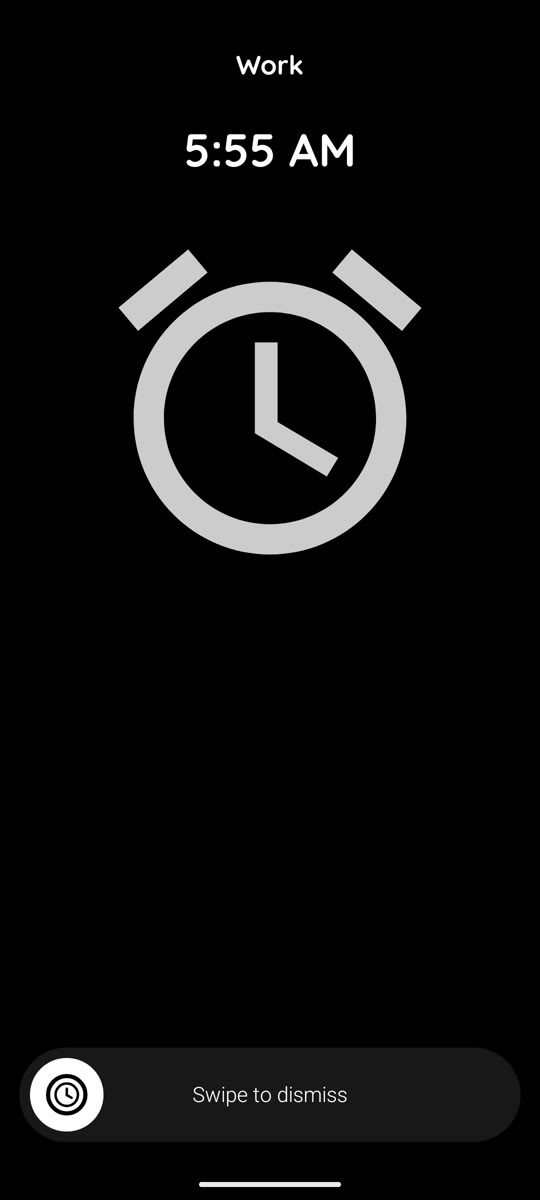
It rings when you're sleeping lightly
Inside a short window before your alarm time, about a third of your sleep cycle and never more than 45 minutes, it waits for light sleep and rings then. If that moment never comes, it rings at the time you set.
-
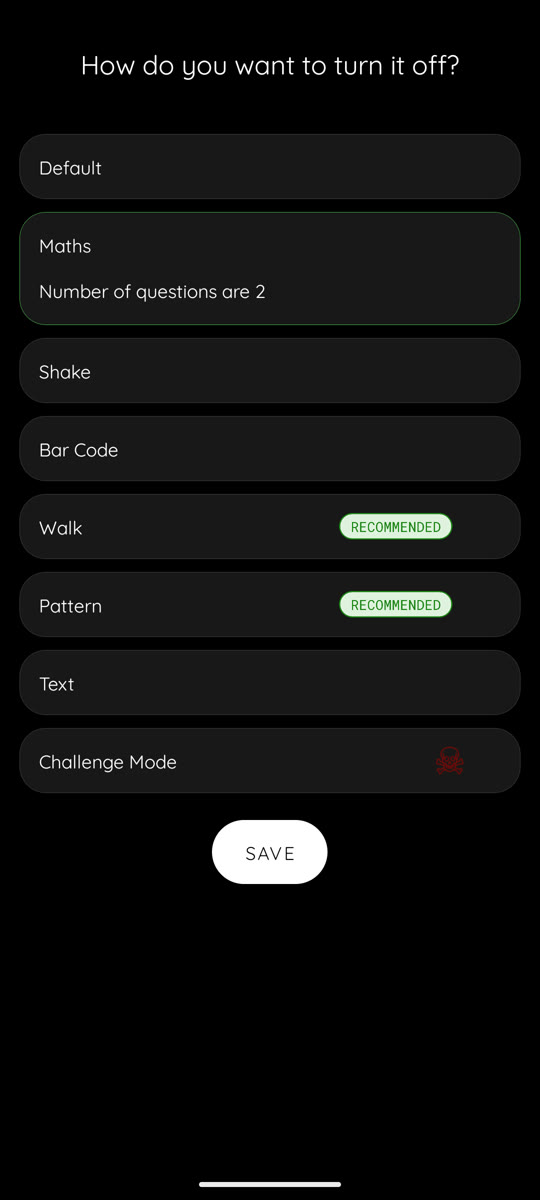
Turn it off your way
Tap to stop, or make your brain and body join in first:
- Solve a few maths problems
- Shake your phone
- Walk a number of steps
- Scan a barcode you registered, like one in the bathroom
- Draw a pattern, or type a line of text
-
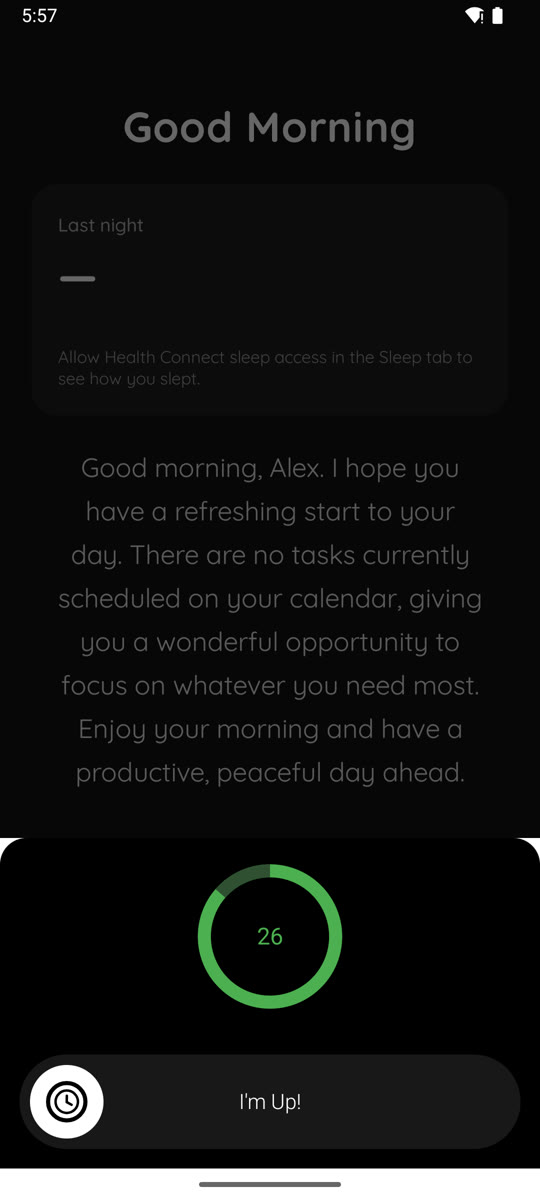
A check that you stayed up
A few minutes after you turn the alarm off, Good Morning asks you to confirm you're awake. Swipe "I'm Up!" before the timer runs out, or the alarm comes back.
-
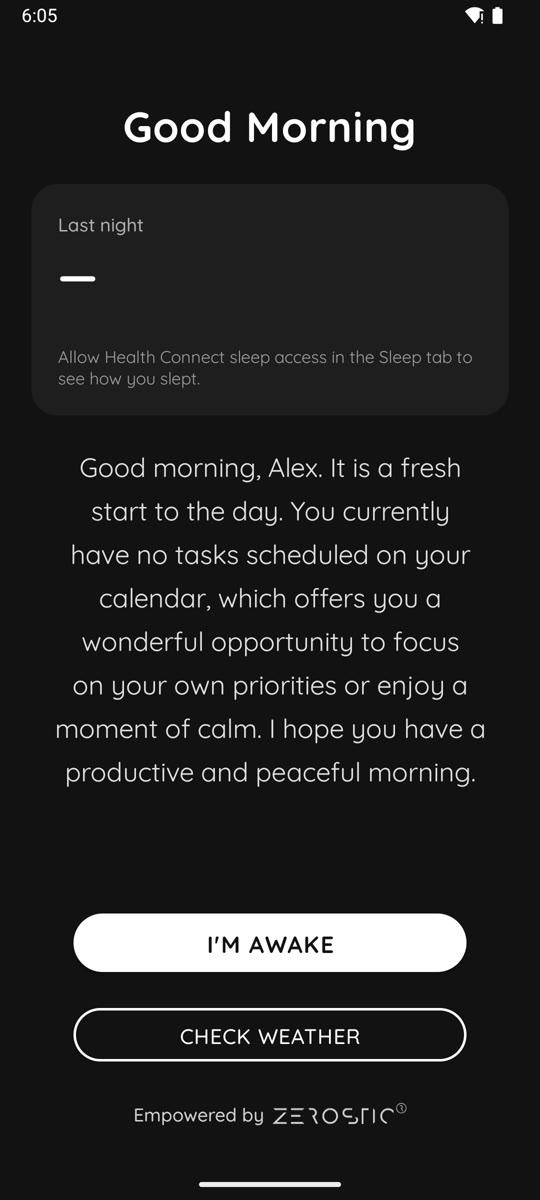
Your morning, in one screen
How you slept (with Health Connect), your tasks and a short briefing written for you. Tap Check weather for today's forecast, sunrise and sunset. Turn on voice and it reads the weather aloud while you get up.
On your wrist too
The Wear OS app shows your alarms, lets you add, change and switch them on or off, and does the Smart Wake tracking while you sleep. It works alongside the phone app.
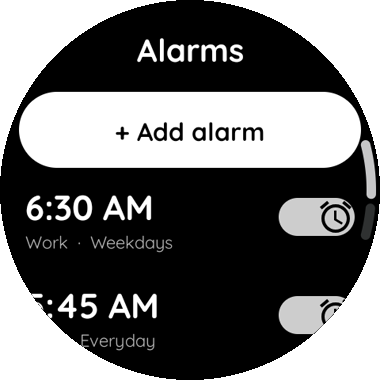
Your alarms at a glance
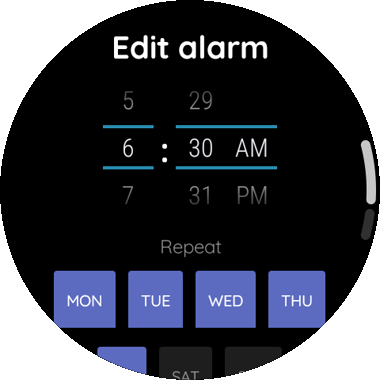
Change the time and days
Smart Wake from your wrist
Built so it doesn't miss
An alarm has one job. These are the situations Good Morning is built for.
Your phone restarted overnight
Some phones restart themselves at night. Your alarms still ring, even before you unlock the phone again.
Battery saver and Doze
Alarms are scheduled as real alarm-clock alarms, so Android wakes the phone on time.
Alarm volume set to zero
Good Morning warns you while there's still time to fix it, instead of ringing silently.
Screen off and locked
The alarm opens full screen over the lock screen, the way a clock app should.
Manual
Everything you need to set up Good Morning and get the most from it.
Set your first alarm
- Open Good Morning and tap the add button on the Alarm tab.
- Set the time, then choose the days it repeats. Leave all days off for a one-time alarm.
- Give it a title if you like, and pick a tone. The "Gradually increasing" tones start soft and get louder.
- Choose how long snooze lasts and how the alarm turns off.
- Save. The alarm shows in your list with a switch to turn it on or off.
You can use Good Morning without an account. Tap "Continue without login" on the welcome screen.
Choose how an alarm turns off
When you create or edit an alarm, choose one of these:
- Default: tap to stop.
- Maths: solve the problems shown.
- Shake: shake the phone until the counter fills.
- Walk: walk the number of steps shown.
- Bar Code: scan a barcode you saved beforehand. Put it somewhere you have to get up to reach.
- Pattern: draw the pattern shown.
- Text: type the text shown, exactly.
Add a wake-up check and choose after how many minutes it appears. If you don't confirm you're awake, the alarm rings again.
Use Smart Wake
- Turn on Smart Wake for an alarm.
- With a Wear OS watch: install Good Morning on the watch, open Smart Wake there and tap "Grant sensors". Wear the watch to bed.
- Without a watch: keep your phone on the mattress near you. It uses the phone's motion sensor.
Tracking starts 90 minutes before your alarm. In the last part, a window of about a third of your sleep cycle (15 to 45 minutes), the alarm rings as soon as you're in light sleep. Otherwise it rings at your set time.
If you allow access to sleep data in Health Connect (for example from a Samsung Galaxy Watch or Fitbit), Good Morning learns your own sleep-cycle length and shows last night's sleep in the Sleep tab. You can remove that access in Health Connect at any time.
Make sure your alarm always rings
Good Morning checks these for you and shows a prompt if something needs fixing:
- Notifications: allow them, so the alarm can show while the phone is locked.
- Full-screen alarms: allow Good Morning to show full-screen alerts.
- Battery: on Samsung, Xiaomi, OnePlus and similar phones, set Good Morning's battery use to "Unrestricted".
- Alarm volume: keep it above zero. Android doesn't let apps raise it at ring time.
To try it, set an alarm two minutes ahead, lock the phone and wait.
Morning screen, weather and voice
After your alarm, the morning screen shows how you slept, the weather for your area and today's tasks, with a short written briefing.
Weather uses your approximate location only, rounded to about a kilometre. You can instead choose a city yourself in Weather settings.
In Voice settings, choose whether the weather (or everything) is read aloud. If there's no voice, install one from your phone's Text-to-speech settings.
Tasks and reminders
Add tasks on the Tasks tab and give them a reminder time if you want a nudge. Tick a task off and its reminder stops. Today's tasks also appear on the morning screen.
Set up the watch app
- Install Good Morning on your phone and on your Wear OS watch from the Play Store.
- Keep the watch connected to the phone. Alarms you set on either one show up on both.
- On the watch, open Smart Wake and grant the sensor permissions to use sleep tracking.
If the phone isn't connected, the watch tells you, and your change isn't saved until it's back.
Your account and privacy
Use Good Morning without an account, or sign in with email to back up your settings and alarms. A guest can save their account later from the profile screen.
To delete your account and its data, open Settings, tap your profile card, then Delete account. Full details are on the account deletion page.
Read the privacy policy.
Get help
Use Contact Us in the app's settings, or email support@zerostic.com.
Good morning.
Free on Google Play, for Android phones and Wear OS watches.